

What you need
- A Trigger.dev project
- A Granola account on a Business or Enterprise plan, which webhooks and API keys need, and a Granola API key (
grn_...) - An API key for your model (the example below uses the Vercel AI Gateway)
How it fits together

- Granola sends a
note.generatedwebhook when a note’s first AI summary is ready. - Each note starts one run of the agent.
- The run fetches the note and transcript, and the agent works on it.
1. Receive new notes as a webhook
Define a hosted endpoint for Granola. It checks the Standard Webhooks signature on every request before your code runs. The webhook payload has the note’s ID, but not its content:src/trigger/granola.ts
npx trigger.dev@latest dev and copy the endpoint’s URL from the Webhooks page. In Granola, open Settings > Connectors > Webhooks, set up a webhook with that URL and the note.generated event:
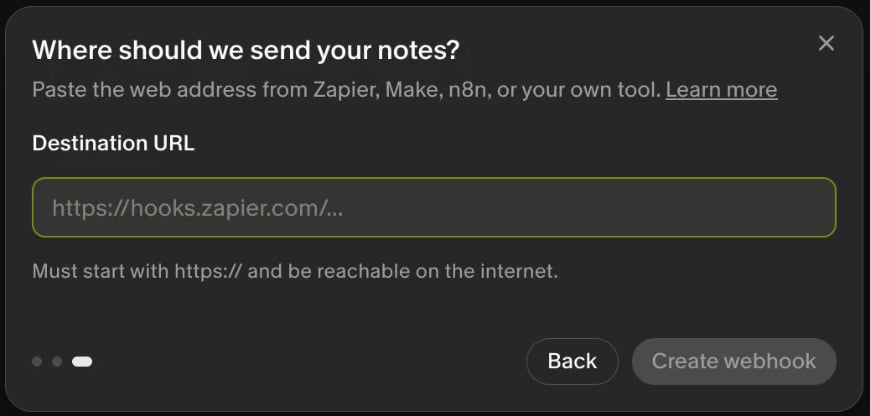
whsec_...) once, so set it on the endpoint straight away:
2. Start one run per note
Subscribe a handler that only acceptsnote.generated and triggers the agent task. Use the note ID as a global idempotency key, so a retried delivery doesn’t start a second run for the same note. Granola retries failed deliveries for up to four days, and idempotency keys last 30 days by default:
src/trigger/granola.ts
note.edited, show up as FILTERED on the endpoint’s Deliveries tab.
3. Fetch the note and its transcript
Call Granola’s Get Note API withinclude=transcript. Each transcript entry has a speaker.source: microphone is you, speaker is everyone else:
src/trigger/granola.ts
GRANOLA_API_KEY in your .env file for dev, and in the dashboard’s environment variables for production.
4. Run the agent
The task fetches the note and hands the transcript to a model with the AI SDK. Give the agent whatever tools it needs:src/trigger/granola.ts
The transcript is what people said in your meeting. Treat it as data in the system prompt, and
give the agent read-only tools.
note-agent from the dashboard’s Test page with the ID of a note you can read (not_...). The next time a meeting’s summary is ready, the run starts on its own.
Next steps
- Granola webhooks: verification and setup
- Webhook filters: run a subscriber only for some events
- Idempotency: keep a retried webhook from starting a second run
- Granola API: the note’s fields, including
summary_markdownandattendees - To deploy, run
npx trigger.dev@latest deploy, setGRANOLA_API_KEYin production, add a second Granola webhook for the production endpoint’s URL, and set that webhook’s signing secret withnpx trigger.dev@latest webhooks set-secret granola --env prod