

Billing limits and alerts are available to all Trigger.dev Cloud organizations. They don’t apply to self-hosted instances.
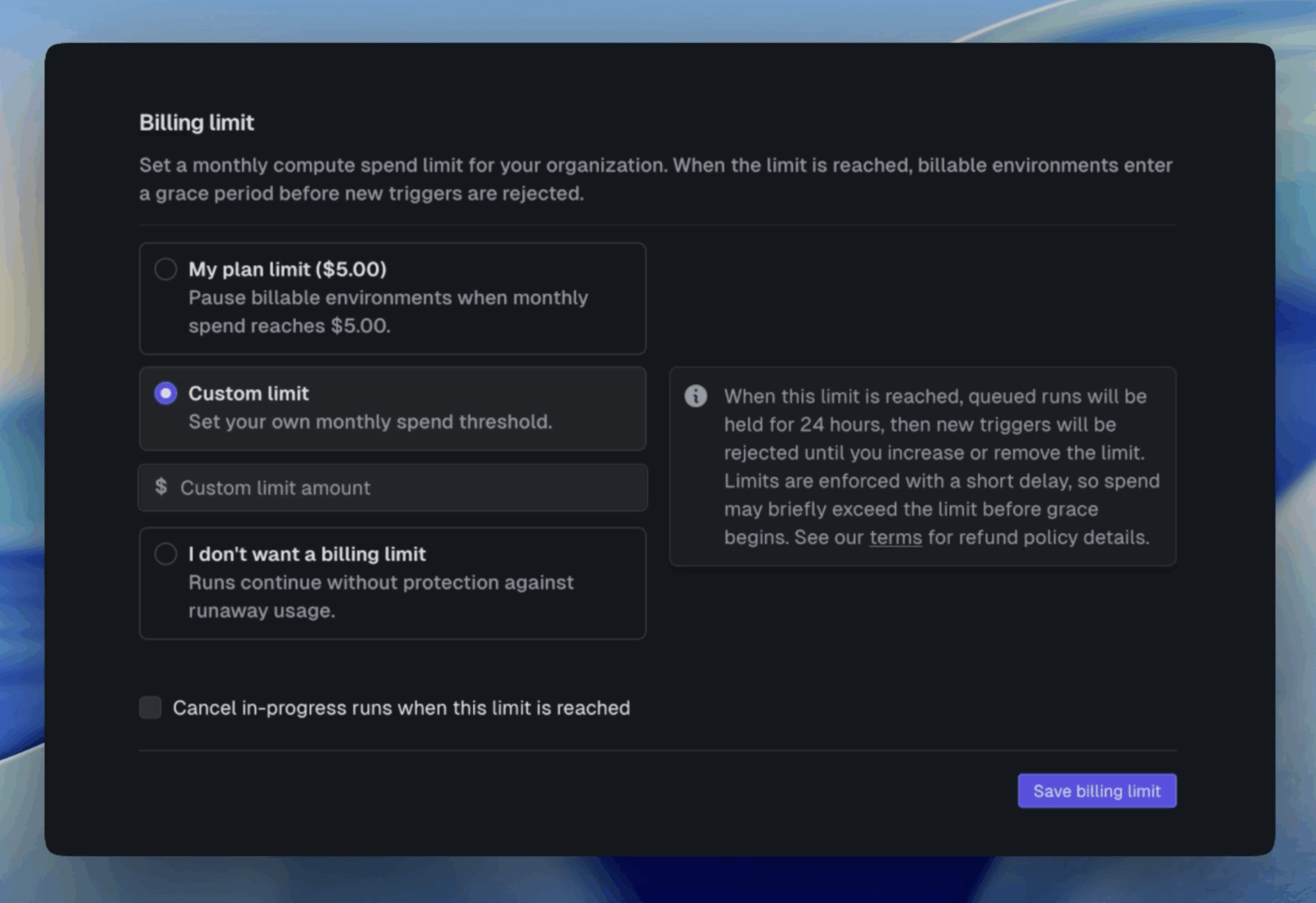
Setting a billing limit
Choose one of three options:- Plan limit: Use your plan’s maximum as the spending cap.
- Custom limit: Set your own monthly spend threshold.
- No limit: No cap is enforced. This is the default.
production, staging, and preview. Your dev environment is not affected.
Optionally, enable Cancel in-progress runs when this limit is reached to immediately cancel executing runs when the limit is hit, instead of letting them finish naturally.
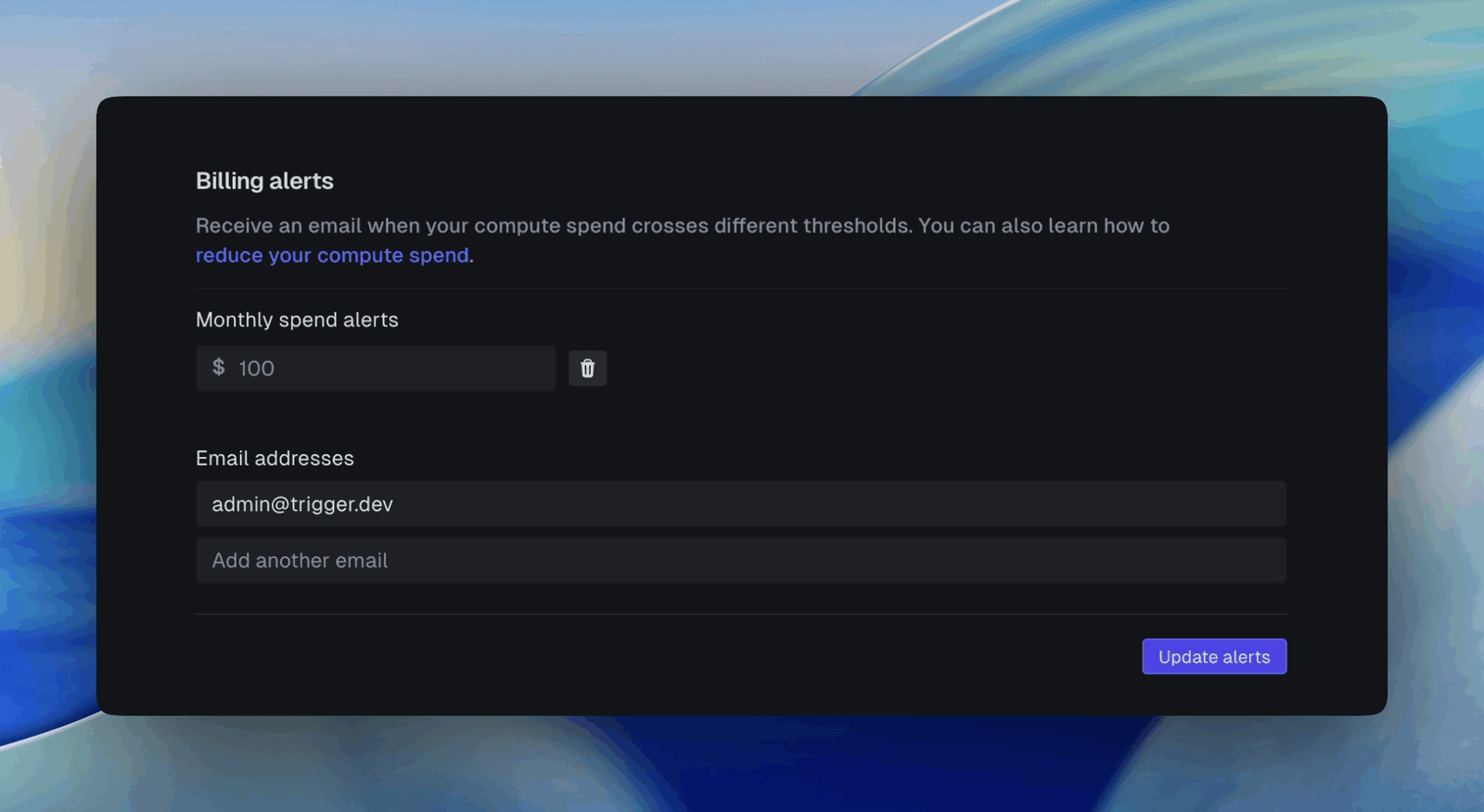
Billing alerts
Billing alerts are email notifications sent when your monthly spend crosses a threshold. You can add multiple thresholds:- With a billing limit set: thresholds are percentages of your limit (e.g. 50%, 80%).
- Without a billing limit: thresholds are dollar amounts.
What happens when you reach your limit
When your organization’s spend reaches the billing limit, billable environments enter a grace period:- Queues pause across
production,staging, andpreview. In-progress runs finish naturally (unless you enabled Cancel in-progress runs). - New runs can still be triggered and are queued, but they won’t start executing. Queued runs incur no compute cost until they start.
- You have 24 hours to review and decide what to do.
Billing limits are soft limits, not instantaneous hard caps. Usage is evaluated on a short
delay, so spend can briefly exceed your limit before enforcement applies. See our
terms for refund policy details.
Resuming after hitting a limit
To resume execution, increase or remove the billing limit from the Billing limits page. You’ll be asked what to do with the runs that queued up during the pause:- Resume queued runs: everything that built up during the pause runs in order.
- Cancel queued runs: the backlog is discarded and only new triggers run going forward.