
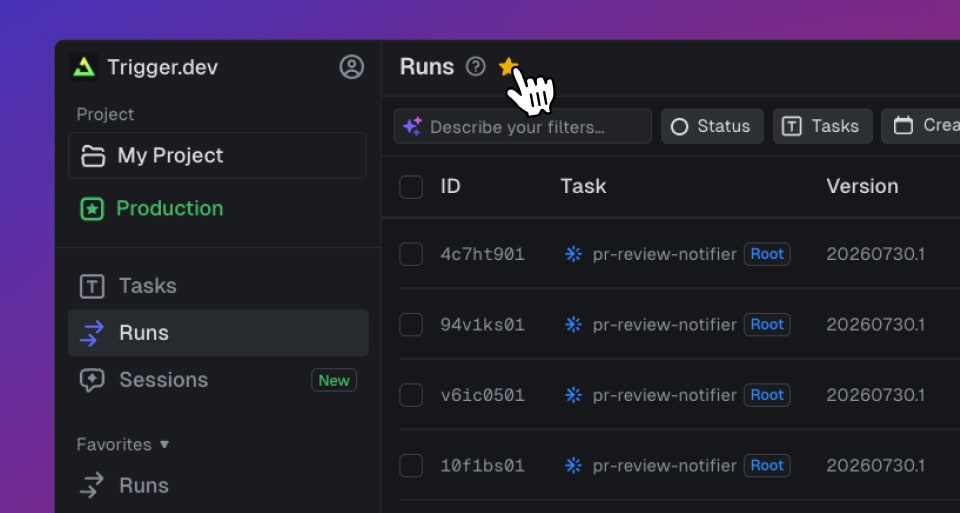
Most people live in three or four pages and scroll past everything else. The side menu now reflects that.
Star any page
There's a Favorites section pinned to the top of the side menu. Hit the star in any page header, or press ⌥F, and the page lands there. Starring saves the full URL, so a filtered view is worth keeping too: "Runs completed in the last 7 days" sits in the menu right next to Runs itself.
Customize the sidebar
The rest of the menu is yours to arrange from the Customize sidebar panel:
- Rename a favorite to match what you call it, not the label we gave it
- Hide items and whole sections you never open, so the menu shows only what you use
- Reorder items by dragging them, and move whole sections up or down
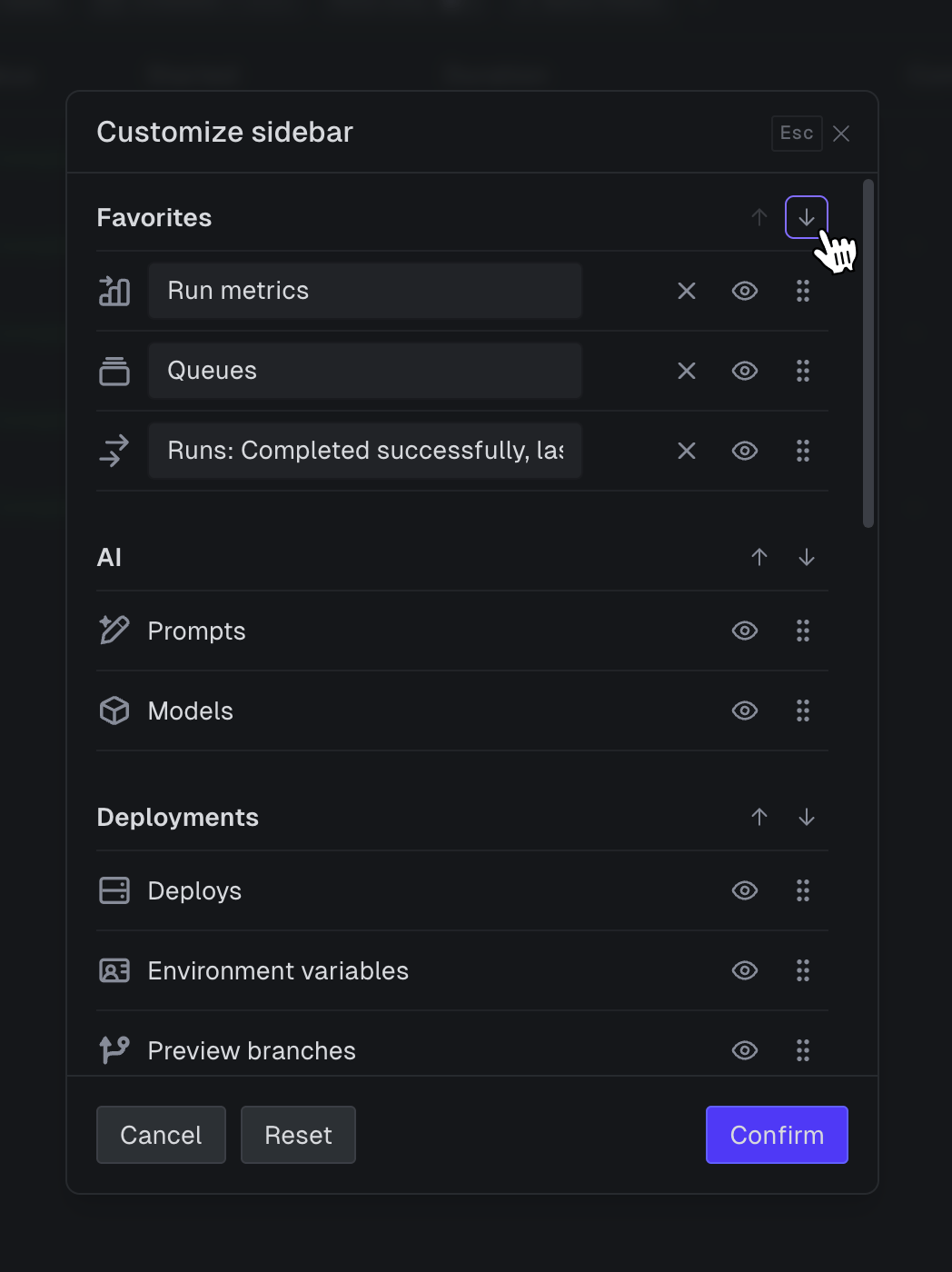
Every change is per-user, so your layout is yours and your teammates' menus stay untouched. It builds on the redesigned side menu from the last dashboard update.
Try it
Star the page you're on, then open Customize sidebar to arrange the rest. It's live in your dashboard now.