

Today we're launching support for webhooks in public beta, on both Trigger.dev Cloud and our open source project.
For some time it's been our number 1 most requested feature.
Support for inbound webhooks unlocks many new ways to build AI agents with Trigger.dev.
Many of the most popular services in the world use webhooks as their chosen way to send updates.
Here are some of the things you can now build on Trigger.dev:
- AI agents in Slack (for example, customer support)
- AI agents that handle Linear tasks (for example coding agents)
- Billing ops agents that respond to Stripe events
- Email management agents that respond to Resend events
Several of our customers have told us that they want to use Trigger.dev in a similar way to tools like n8n and Zapier, as a connector to services.
“Having webhooks be able to trigger tasks would probably make me switch from n8n to Trigger.dev for many workflows.”
“Once this is implemented it would make, as a developer, using services like Zapier and others obsolete for the most part.”
Support for more than 40 services
From day one we are supporting more than 40 providers. (See the full list.)
And we also offer support for Standard Webhooks, the open spec co-created by our friends at Svix. Any service that signs with it or with Svix (Clerk, Resend, OpenAI and more) works out of the box with webhooks.standardWebhooks() or webhooks.svix(). And for any other provider, you can verify its webhooks your own way with webhooks.custom(): an HMAC signature, a shared secret, a URL secret or a public key.
Production-ready out of the box
We built the inbound webhooks to be production ready out of the box. When a webhook comes in, we:
- Verify its signature.
- Check it isn't a duplicate.
- Store it, then tell the provider we've got it.
- Route it to every agent whose filter matches.
That means your webhooks won't get lost in the request (yes, this happens a lot).
We're also introducing first-class integrations for Linear and Slack. This means you have a full set of functions for two-way communication.
Full control over what your webhooks do
When a webhook comes in, you can kick off up to 25 different agents.
But equally, we also have advanced filtering so you don't waste money on runs you don't need.
Waiting for events is not charged for
When building agents there is a lot of waiting. For example, waiting for human approval. Or waiting for a third-party process to complete.
During this time, Trigger.dev compute will sleep for up to 90 days and you won't be charged.
Observe every webhook and every agent
With this launch, we're also dropping new observability features. So you can see everything happening with your webhooks:
- Every filter
- Every payload
- Every agent it was routed to
- Every failure, and why
- Every header
- Every replay
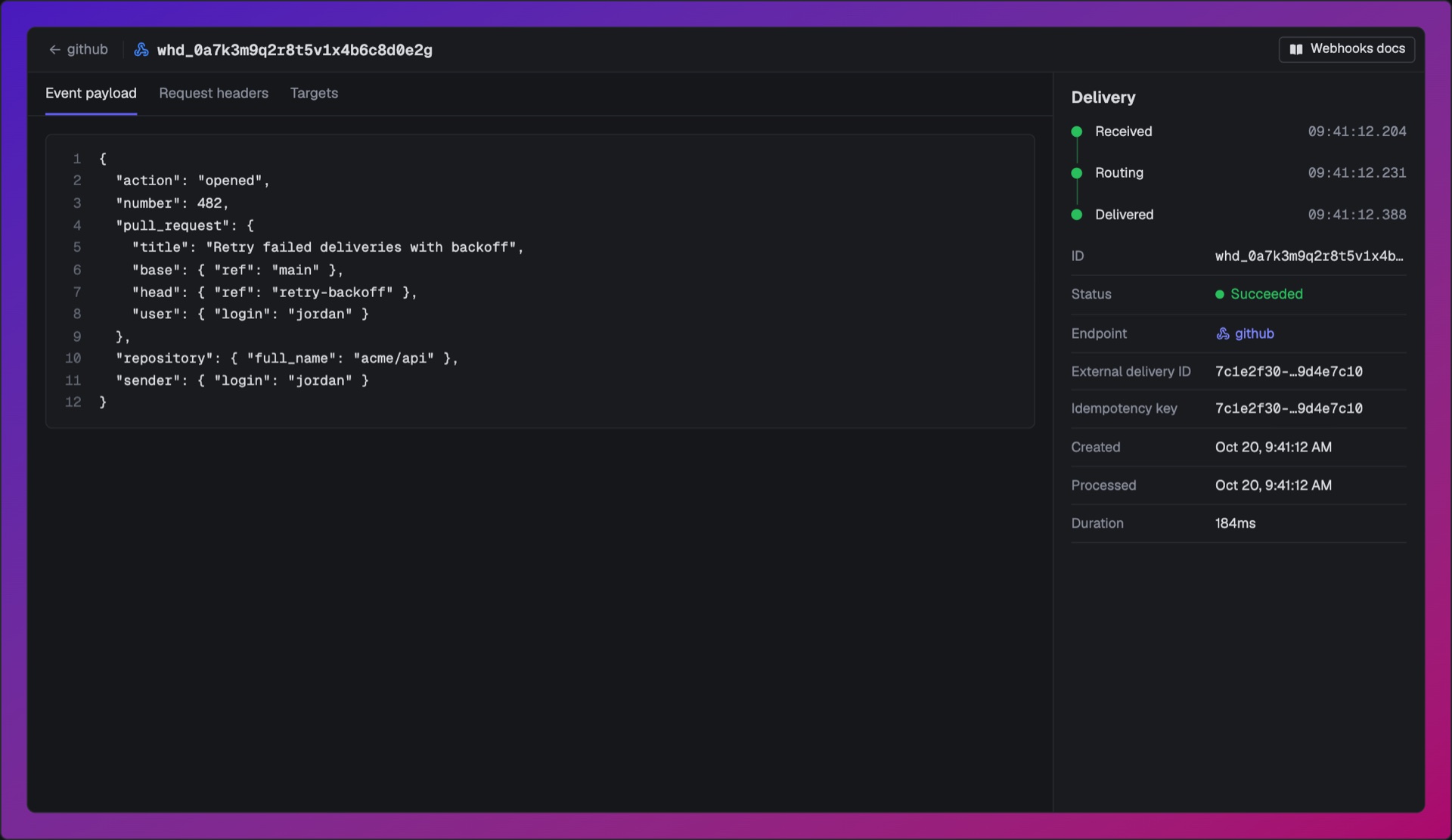
Plus, you can still see every step of the AI agent that was triggered by the webhook.
Build a Slack chat agent
Copy this prompt into your coding agent, like Claude Code, Cursor or Codex. It sets up a Trigger.dev project and builds your first agent: a chat agent that answers @mentions in Slack.
Bootstrap a Trigger.dev project: trigger.dev/SKILL.mdThen build a chat agent that answers @mentions in Slack, usingTrigger.dev webhooks: trigger.dev/docs/webhooks/slack
Learn more
To see all the details, check out the feature page here or our docs page here.