
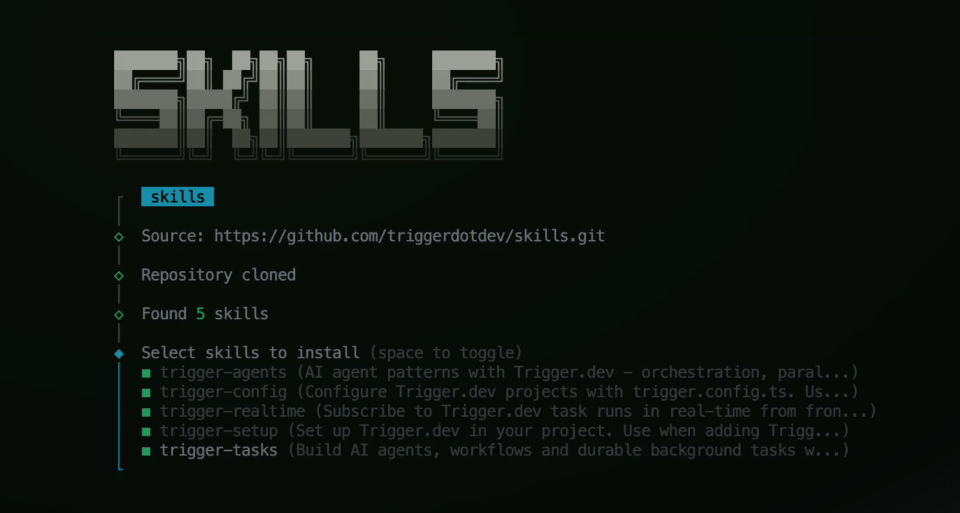
Built on the open Agent Skills standard by Vercel, skills replace vendor-specific config files with a single install that works across every major AI coding assistant.
How agent skills work
Each skill is a directory containing a SKILL.md file with patterns, examples, and best practices that AI assistants automatically discover and follow. One install gives every supported assistant the same knowledge.
Installation
The skills CLI (by Vercel) detects your installed AI tools and copies the appropriate files to each tool's expected location.
npx skills add triggerdotdev/skills
Or install individual skills:
npx skills add triggerdotdev/skills --skill trigger-tasksnpx skills add triggerdotdev/skills --skill trigger-agentsnpx skills add triggerdotdev/skills --skill trigger-confignpx skills add triggerdotdev/skills --skill trigger-realtimenpx skills add triggerdotdev/skills --skill trigger-setup
Available skills
| Skill | Use for | Covers |
|---|---|---|
| trigger-setup | First time setup, new projects | SDK install, npx trigger init, project structure |
| trigger-tasks | Background tasks, async workflows, scheduled tasks | Triggering, waits, queues, retries, cron, metadata |
| trigger-agents | LLM workflows, orchestration, multi-step AI agents | Prompt chaining, routing, parallelization, human-in-the-loop |
| trigger-realtime | Live updates, progress indicators, streaming | React hooks, progress bars, streaming AI responses |
| trigger-config | Project setup, build configuration | trigger.config.ts, extensions (Prisma, FFmpeg, Playwright) |
Not sure which to install? Start with trigger-tasks — it covers the most common patterns.
Supported AI assistants
Skills work with any AI coding assistant that supports the Agent Skills standard, including Claude Code, Cursor, Windsurf, GitHub Copilot, Cline, Codex CLI, Gemini CLI, OpenCode, and more.