
Your user clicks "Stop generating." Your AI agent needs a course correction mid-run. A reviewer approves a draft while the task that wrote it is still running. All of these require the same thing: sending data into a task that's already executing.
Input streams let you do exactly that. Define a typed stream, send data from your backend or frontend, and the task picks it up instantly. The task can suspend while it waits (freeing compute entirely) or keep running and listen in the background.
See it work
Here's a research agent that takes instructions from the user while it's running. The user can steer the research, ask for more detail, or tell it to wrap up:
// trigger/streams.ts — define the stream onceimport { streams } from "@trigger.dev/sdk";export const userMessage = streams.input<{ type: "instruction" | "follow-up" | "wrap-up"; text: string;}>({ id: "user-message" });
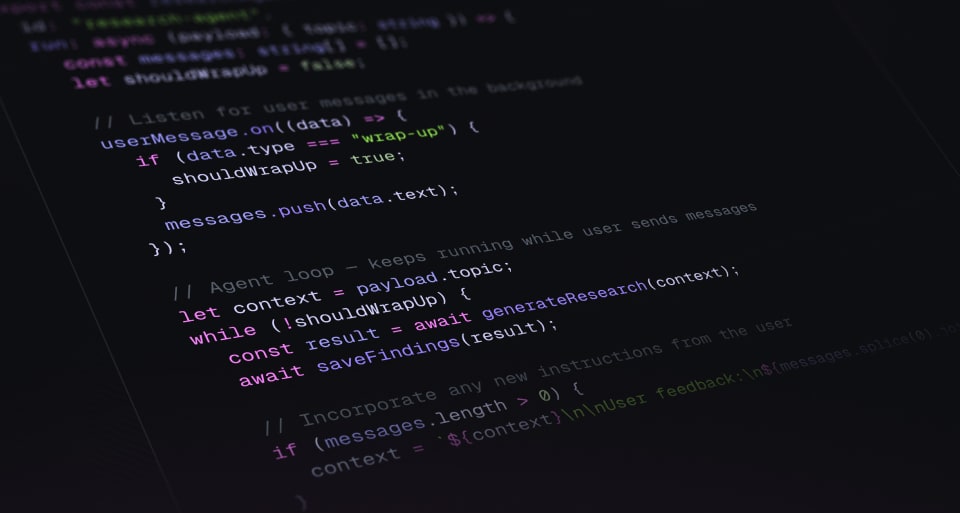
// trigger/research.ts — the task listens while it worksimport { task } from "@trigger.dev/sdk";import { userMessage } from "./streams";export const researchAgent = task({ id: "research-agent", run: async (payload: { topic: string }) => { const messages: string[] = []; let shouldWrapUp = false; // Listen for user messages in the background userMessage.on((data) => { if (data.type === "wrap-up") { shouldWrapUp = true; } messages.push(data.text); }); // Agent loop — keeps running while user sends messages let context = payload.topic; while (!shouldWrapUp) { const result = await generateResearch(context); await saveFindings(result); // Incorporate any new instructions from the user if (messages.length > 0) { context = `${context}\n\nUser feedback:\n${messages.splice(0).join("\n")}`; } } return await compileFinalReport(context); },});
// components/ResearchChat.tsx — the user talks to the running task"use client";import { useInputStreamSend } from "@trigger.dev/react-hooks";import { userMessage } from "@/trigger/streams";export function ResearchChat({ runId, accessToken }: { runId: string; accessToken: string;}) { const { send, isReady } = useInputStreamSend( userMessage.id, runId, { accessToken } ); return ( <div> <button disabled={!isReady} onClick={() => send({ type: "follow-up", text: "Go deeper on the pricing model" })}> Go deeper </button> <button disabled={!isReady} onClick={() => send({ type: "wrap-up", text: "That's enough, compile the report" })}> Wrap up </button> </div> );}
Three files. The stream definition is shared across all of them, so TypeScript enforces the message shape from the React button all the way into the running task.
Four receiving patterns
The example above uses .on(), but there are four ways to receive data inside a task depending on what you need.
.on(): listen in the background
Fires your handler every time data arrives. The task keeps running. Handlers clean up automatically when the run ends. Use this for cancel signals, chat, or steering a running agent (like the example above).
cancelSignal.on((data) => { console.log("Cancelled:", data.reason); controller.abort();});
.wait(): suspend until data arrives
The task process is freed entirely. No compute cost while you wait. When data lands, the task resumes exactly where it left off. Works like a waitpoint token but with a typed schema and no token management.
const result = await approval.wait({ timeout: "7d" });if (result.ok && result.output.approved) { await publish(draft);}
.once(): block for the next message
Like .wait(), but the process stays alive. Use this when you need the task warm between messages.
const data = await approval.once({ timeoutMs: 300_000 }).unwrap();
.peek(): check without waiting
Non-blocking. Returns the latest buffered value, or undefined if nothing's arrived yet.
const latest = cancelSignal.peek();if (latest) { // Someone already sent a cancel before we checked}
Send from your backend
Call .send() with the run ID. Works from Next.js API routes, Remix actions, Express, whatever you're running.
await userMessage.send(runId, { type: "follow-up", text: "Focus on competitor pricing",});
Send from your frontend
The useInputStreamSend React hook (shown in the example above) wires up any UI element to a running task. Pass the stream ID, a run ID, and an access token. You get back a typed send function.
Get started
Input streams ship with SDK v4.4.2+:
npm install @trigger.dev/sdk@latest @trigger.dev/react-hooks@latest
Full guide: Streams documentation