
Claude Code started as a terminal assistant. It's now an agentic system that reads entire codebases, executes commands, manages git workflows, and spawns subagents. If you're still using it as a chat interface with a shell wrapper bolted on, you're barely touching it.
Features like CLAUDE.md and MCP servers dominate the conversation. The CLI itself, though, has a deep set of power-user capabilities that mostly go ignored. These are features built for parallelised, production-grade engineering workflows.
Here are 10 patterns worth knowing.
1. Context Pre-Warming via Session Forking
Resuming a session across multiple terminals interleaves the history. That corrupts the context window in ways you won't notice until the model starts hallucinating about files that don't exist.
-fork-sessionsolves this. It duplicates the full session lineage at that exact moment and produces a clean, completely independent branch. Think of it asgit branchfor your LLM context window.
The workflow is "pre-warming." Load a master session with 40k+ tokens of architectural context, API documentation, and coding standards, then fork it for each new feature rather than rebuilding from scratch every time:
# Build the heavy context session onceclaude"Read the architecture docs and prepare for feature work"/rename master-context# Fork it for specific tasks without polluting the originalclaude --resume master-context --fork-session
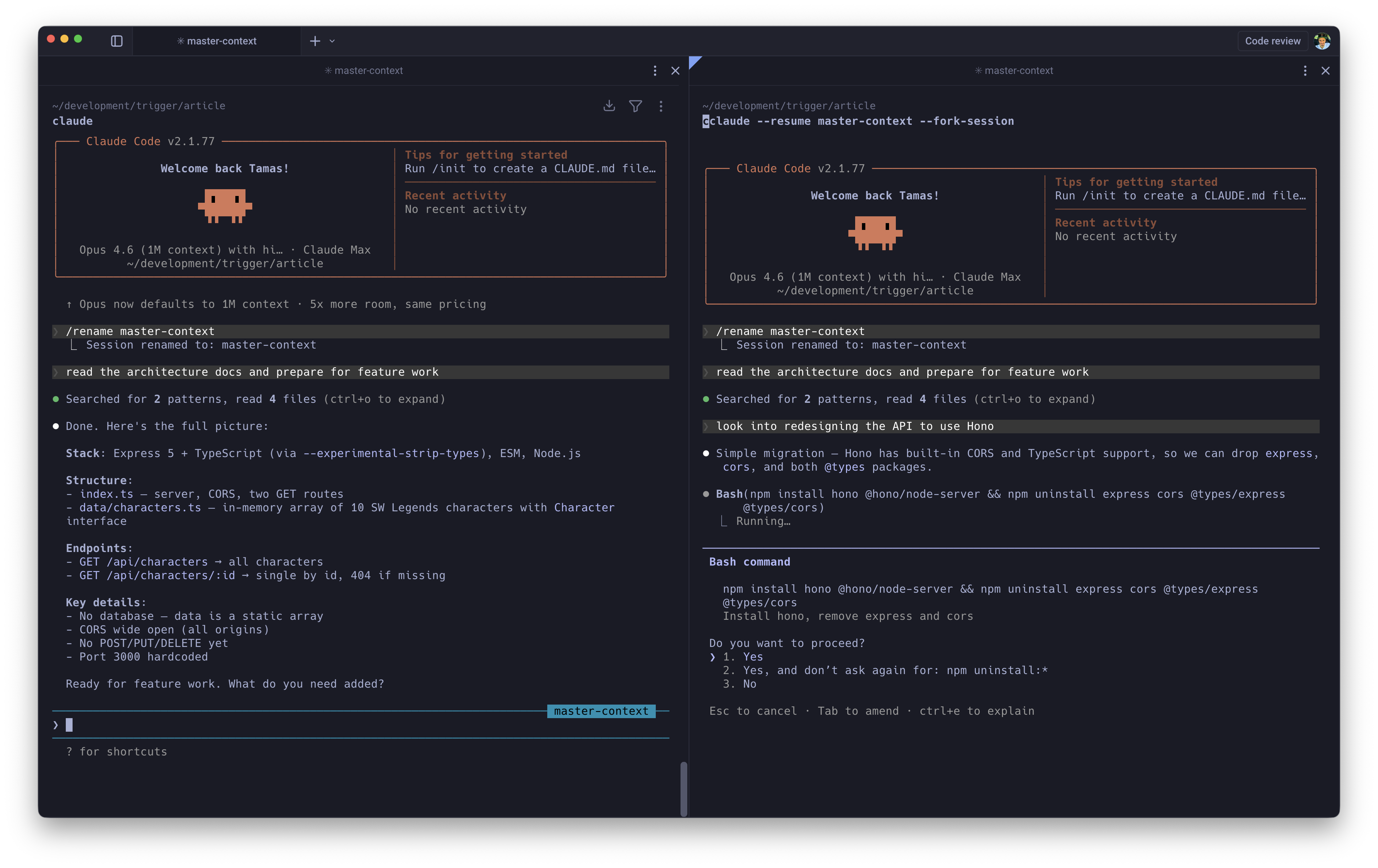
This is also the right way to A/B test implementation strategies. Fork the same master session twice, let both branches diverge, and any differences in output are down to the approach, not context drift.
2. Seamless Code Review Loops
Context switching during code review is one of the most underrated productivity killers in engineering. You wrote the code 3 days ago, the reviewer left comments this morning, and now you need to mentally reconstruct the entire decision space before you can say anything useful.
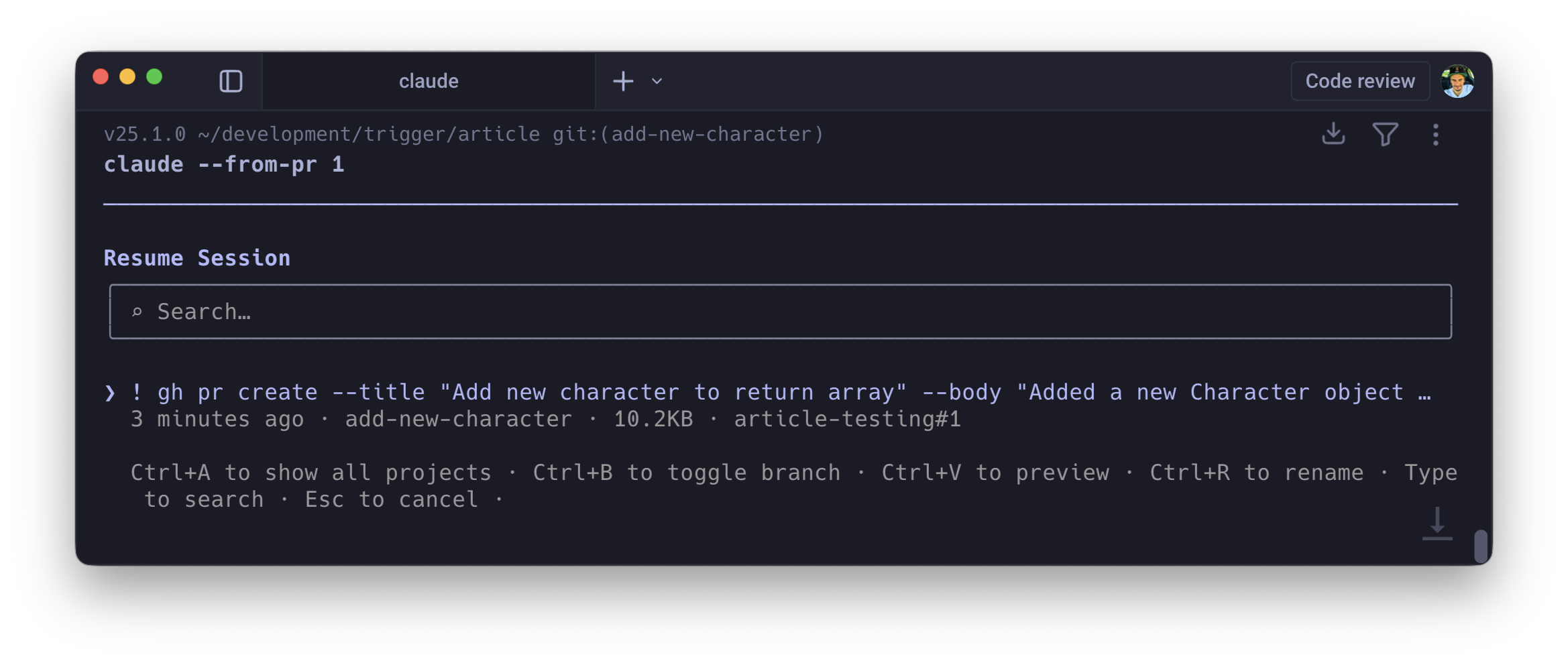
If you created a pull request during a Claude session using gh pr create, the tool links the session ID to that PR automatically. When changes are requested, you rehydrate the exact state of the agent that wrote the code:
claude --from-pr 447# orclaude --from-pr https://github.com/org/repo/pull/447
The agent resumes with the full conversation history of the original session: the files it read, the trade-offs it considered, the constraints it was working within
For teams with multi-reviewer sign-off, this compresses the feedback loop from "context-switch, re-read, re-understand, respond" to "resume, address, push."
3. Compose Prompts in Your Editor
The single-line REPL is hostile to complex prompt engineering. Pasting a 50-line stack trace, wrapping it in XML tags, and appending a multi-paragraph constraint inline is a fight against your own terminal.
Ctrl+G intercepts the input stream and opens your system's default $EDITOR (Vim, Neovim, VS Code, whatever you've configured). You get macros, syntax highlighting, multiple cursors, snippet expansion, and proper multi-line editing. Compose the prompt, save and quit, and the full buffer flushes directly into Claude's execution loop.
Prompt quality goes up noticeably when you can actually see and edit what you're writing. Small feature, outsized effect.
4. Execution via Inline Shell
Prefix any input with ! and it bypasses the LLM entirely, executing the command directly in your shell. Useful on its own. What makes it powerful is what happens to the output: stdout and stderr are automatically appended to the LLM's context window.
! npm run test:e2e! git log --oneline -10
Run the command, output lands in context, then ask Claude to reason about it. No copy-pasting, no "here's the error I'm seeing" preamble. The model already has it.
5. Opus 4.6 Effort Levels
Not every task warrants deep reasoning. Burning heavy compute on boilerplate generation is wasteful; using lightweight inference on a complex architectural decision produces poor results.
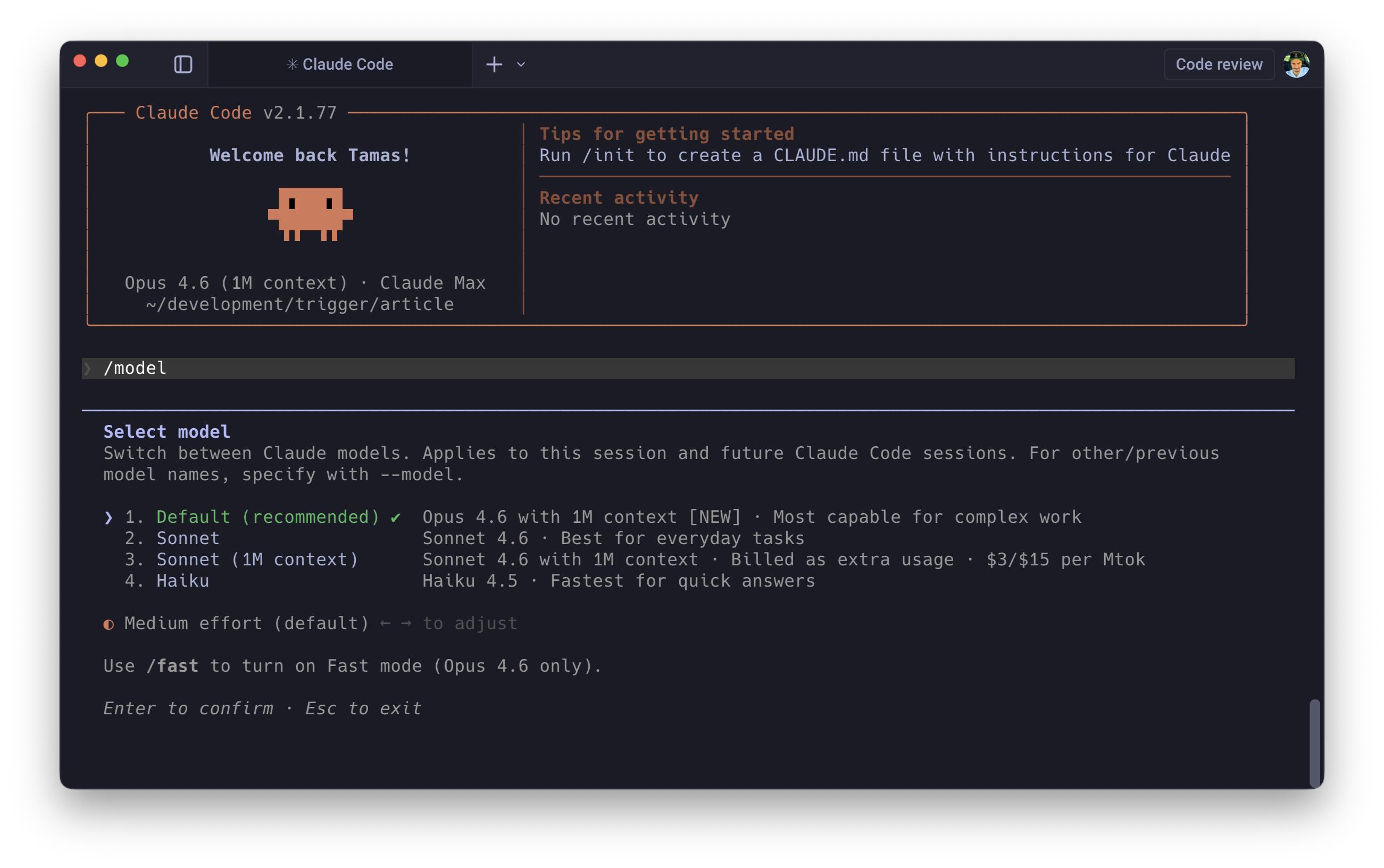
Opus 4.6's Adaptive Thinking exposes a compute-scaling mechanism via the /model command: an effort slider across 4 tiers (Low, Medium, High, Max).
Low is fast, cheap, and essentially deterministic. Boilerplate generation, variable renaming, JSDoc comments. Max is high latency, high cost, deep reasoning chains: debugging race conditions, designing schemas for complex domains, resolving gnarly merge conflicts.
For headless scripts, you can enforce this programmatically:
export CLAUDE_CODE_EFFORT_LEVEL=lowclaude -p "Add JSDoc comments to src/utils.ts"
Being intentional about compute allocation across hundreds of automated invocations adds up fast, both in cost and pipeline speed. This is the kind of feature that doesn't sound useful until you check your API bill.
6. Parallel Worktrees
Running multiple Claude sessions against the same repository without isolation produces race conditions: agents trampling each other's file edits, creating impossible merge states.
--worktreeuses nativegit worktreeunder the hood. It carves out a completely isolated physical directory (defaulting to.claude/worktrees/<branch-name>) that shares the same git history but maintains an independent working tree. Each agent gets its own sandbox.
# Terminal 1claude --worktree feature/auth-refactor# Terminal 2claude --worktree feature/dashboard-ui
Both agents work the same repo, share the same commit history, and cannot interfere with each other's file changes. When they're done, you merge through normal git workflows.
7. Structured JSON Output
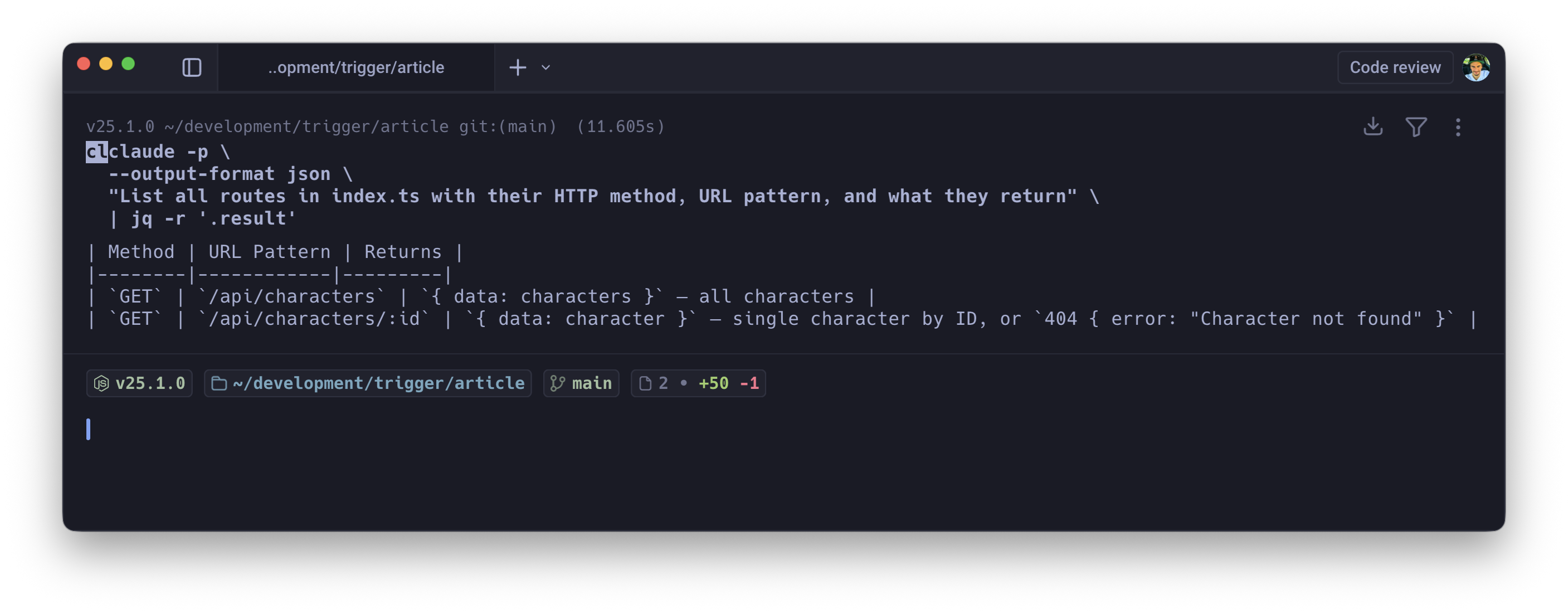
Conversational output is useless in automation pipelines. You need guaranteed, parseable, machine-readable output every time. Combining -p, --output-format json, and --json-schema transforms the LLM from a conversational agent into a strictly typed function:
claude -p \ --output-format json \ --json-schema ./schemas/security-audit.schema.json \ "Audit src/ for vulnerabilities" | jq '.high_severity[]'
You define the output shape; the model is constrained to produce exactly that. Chain it with jq, pipe it into downstream services, feed it into dashboards. The output is predictable and machine-consumable.
8. Surgical Context Compaction
Long debugging sessions fill context windows with dead weight. Every "try this, nope, try that, also broken" cycle adds tokens that actively degrade the model's performance. Context gets noisy, the model loses track of earlier decisions, and costs climb.
Double-tapping Esc opens the rewind menu. Most people use it to revert code changes. The real value is "Summarise from here."
Select a message midway through your session. Claude preserves everything before that point perfectly (initial system prompts, architectural rules, early context), then compresses all the messy trial-and-error after it into a dense summary. The dead ends get distilled into their key lessons without consuming context real estate.
You reclaim your token budget without losing the narrative thread. The model retains awareness of what was tried and why it failed, at a fraction of the token cost.
9. Dynamic Multi-Agent Orchestration
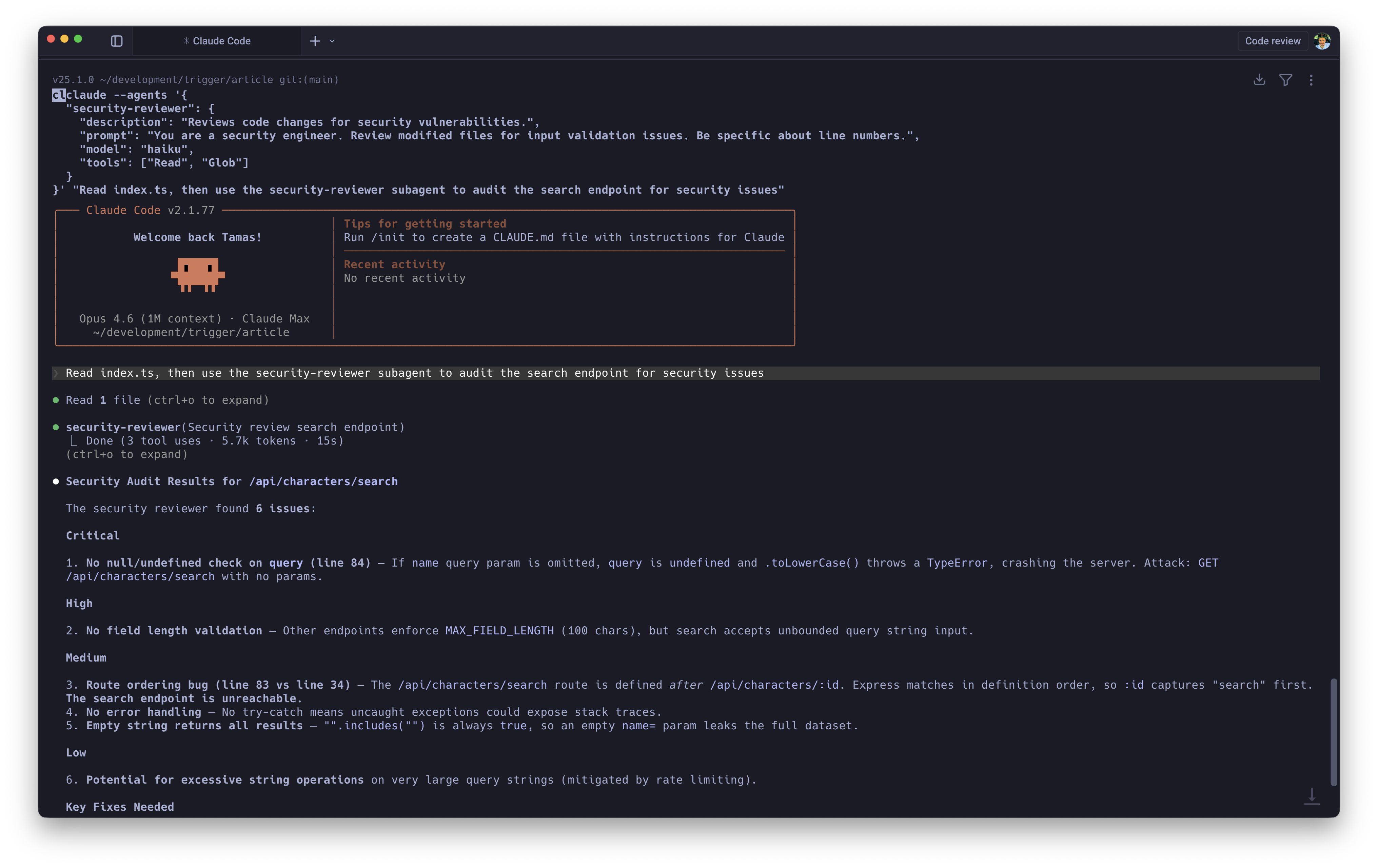
Hardcoding subagents into .claude/agents/ markdown files works for stable, long-lived agent definitions. For ad-hoc workflows, you can define and inject session-scoped subagents on the fly:
claude --agents '{ "test-engineer": { "description": "Writes unit tests for modified files.", "prompt": "You are a strict SDET. Write tests using Vitest. Cover edge cases.", "model": "haiku", "tools": ["Read", "Write", "Glob"] }}'
The real unlock is model routing. Your main session runs on Opus for complex reasoning. Repetitive tasks get delegated to Haiku, which handles them perfectly well at a fraction of the cost. When Claude detects a modified file, it spawns the test-engineer subagent to backfill tests while the main agent continues uninterrupted.
Add isolation: worktree to a subagent's definition and it spins up its own git worktree automatically, combining with the pattern from section 6. Genuinely concurrent multi-agent work, each agent fully isolated.
10. Headless CI/CD with Hard Budget Caps
Putting an autonomous agent into a CI/CD pipeline without strict boundaries is, frankly, terrifying. An agent that loops endlessly or starts "fixing" things it shouldn't touch can cause real damage, and it'll happily drain your API credits while doing so.
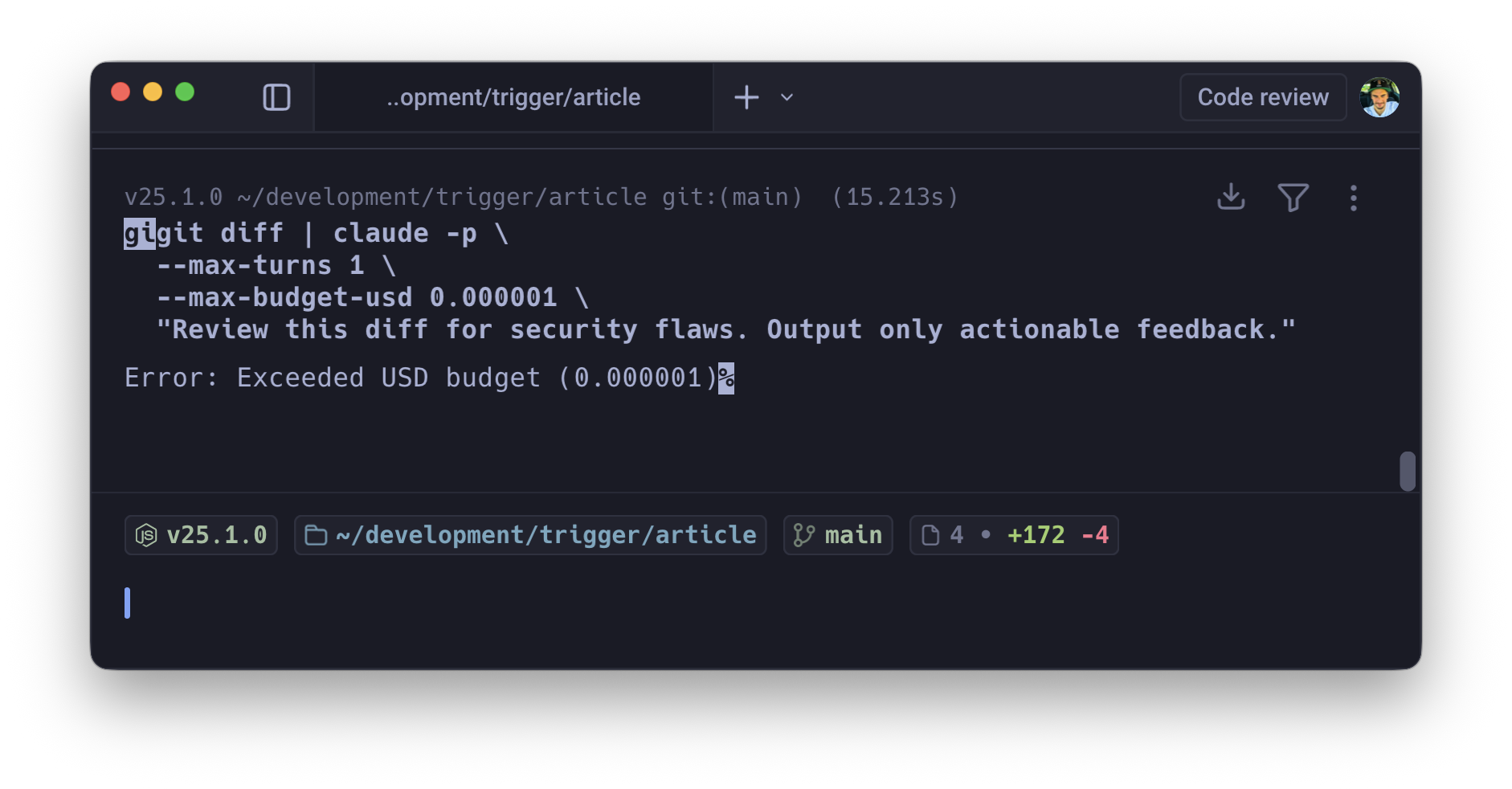
Three flags together make this safe: -p (non-interactive print mode), --max-turns (prevents infinite agentic loops), --max-budget-usd (hard financial ceiling).
gh pr diff $PR_NUMBER | claude -p \ --max-turns 3 \ --max-budget-usd 1.50 \ "Review this diff for security flaws. Output only actionable feedback."
-max-turnscatches runaway logic.-max-budget-usdacts as a circuit breaker on everything else, killing the process before it burns through your Anthropic credits. You need both. Either one alone has gaps.
Scaling this across multiple repositories or running it on every PR also forces prompt discipline. You learn quickly which prompts produce useful output within the budget and which waste tokens on preamble. That discipline feeds back into better prompts everywhere.
These aren't novelty features. Session forking, parallel worktrees, dynamic subagents, and budget-capped CI/CD represent a genuine shift from "AI as a chat partner" to "AI as a managed fleet of specialised workers." The gap between "I use Claude Code" and "I orchestrate Claude Code" is wide, and it's widening.