> ## Documentation Index
> Fetch the complete documentation index at: https://trigger.dev/docs/llms.txt
> Use this file to discover all available pages before exploring further.
# Run tests
> You can use the dashboard to run a test of your tasks.
From the "Test" page in the side menu of the dashboard you can run a test for any of your tasks from any environment.
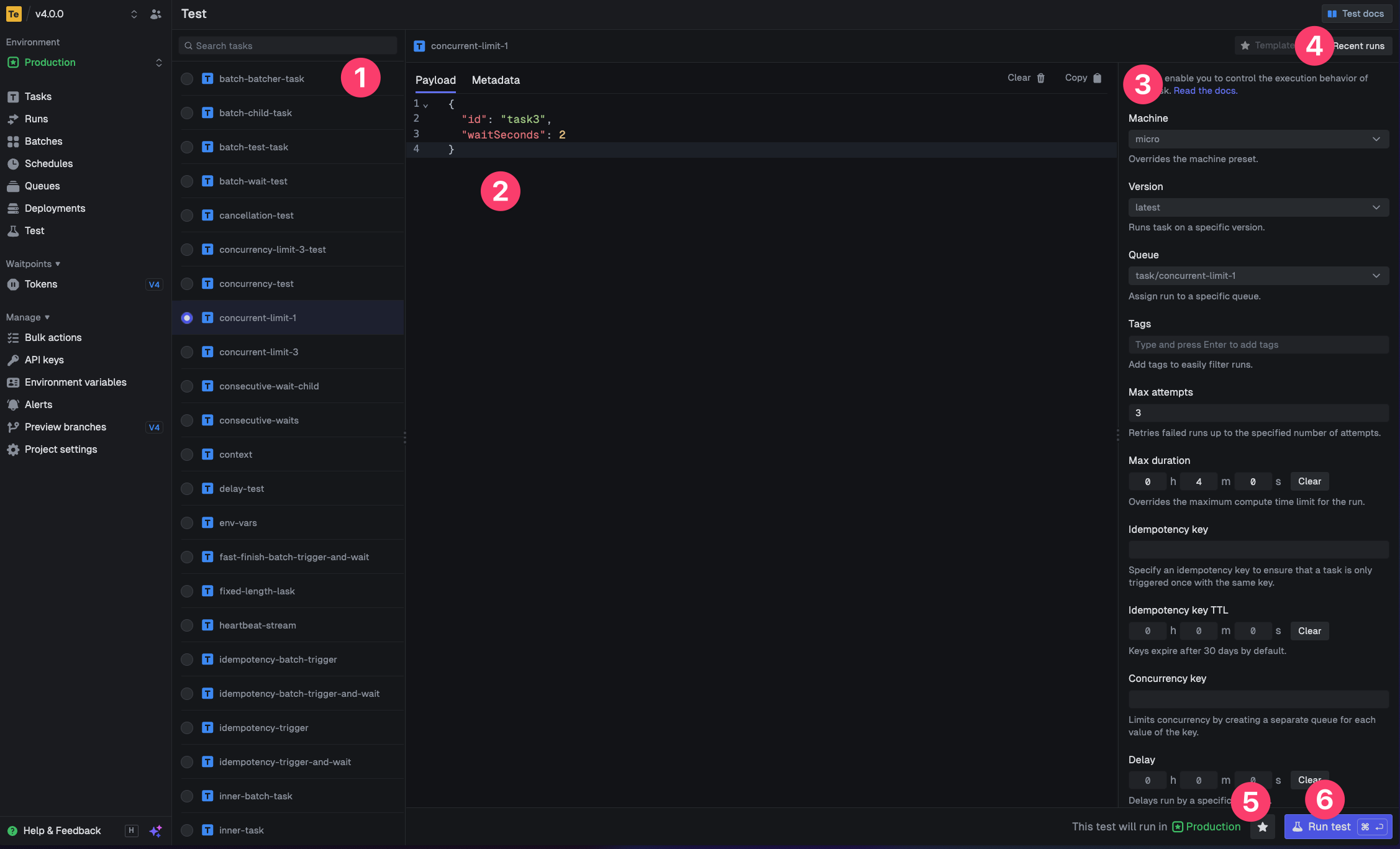 Select a task to test
Include a payload or metadata
Configure any additional options like the machine size, queue or delay
Select from previous test runs
Save the current test configuration as a template for later
Run the test
Select a task to test
Include a payload or metadata
Configure any additional options like the machine size, queue or delay
Select from previous test runs
Save the current test configuration as a template for later
Run the test